Home » SQL Server

Tutorial: Configure replication between two fully connected servers (transactional)

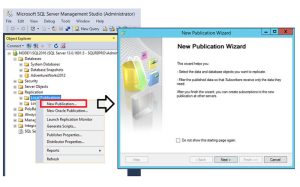
Applies to: SQL Server (all supported versions) Transactional replication is a good solution to the problem of moving data between continuously connected servers. By using the Replication Wizard, you can easily configure and administer a replication topology. This tutorial shows you how to configure a transactional replication topology for continuously connected servers. For more information about how transactional replication works, see the  overview of transactional replication. What you will learn This tutorial teaches you to publish data from one database to another by using transactional replication. In this tutorial, you will learn how to: Prerequisites This tutorial is for users who are familiar with basic database operations, but who have limited experience with replication. Before you start this tutorial, you must complete Tutorial: Prepare SQL Server for replication. To complete this tutorial, you need SQL Server, SQL Server Management Studio (SSMS), and an AdventureWorks database:  Note Estimated time to complete this tutorial:
Creating a Memory-Optimized Table and a Natively Compiled Stored Procedure

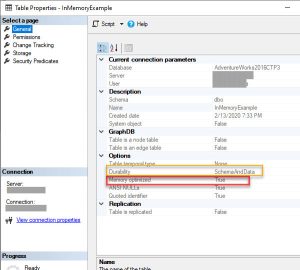
Creating a Memory-Optimized Table and a Natively Compiled Stored Procedure Applies to: SQL Server (all supported versions) This topic contains a sample that introduces you to the syntax for In-Memory OLTP. To enable an application to use In-Memory OLTP, you need to complete the following tasks: Background on In-Memory objects For information on how to use SQL Server Management Studio to create memory-optimized tables, see SQL Server Management Studio Support for In-Memory OLTP. Natively compiled stored procedures Natively compiled stored procedures are Transact-SQL stored procedures compiled to native code, and that access memory-optimized tables. Natively compiled stored procedures allow for efficient execution of the queries and business logic in the stored procedure. For more details about the native compilation process, see Native Compilation of Tables and Stored Procedures. For more information about migrating disk-based stored procedures to natively compiled stored procedures, see Migration Issues for Natively Compiled Stored Procedures.  Note One difference between interpreted

Database Engine Tuning Advisor

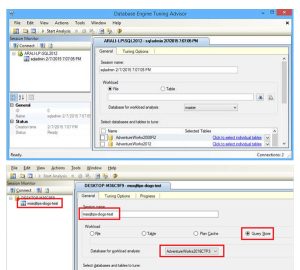
Database Engine Tuning Advisor Applies to: SQL Server (all supported versions) Welcome to the Database Engine Tuning Advisor tutorial. Database Engine Tuning Advisor examines how queries are processed in the databases you specify, and then recommends how you can improve query processing performance by modifying database structures such as indexes, indexed views, and partitioning. Database Engine Tuning Advisor provides two user interfaces: a graphical user interface (GUI) and the dta command prompt utility. The GUI makes it easy to quickly view the results of tuning sessions, and the dta utility makes it easy to incorporate Database Engine Tuning Advisor functionality into scripts for automated tuning. In addition, Database Engine Tuning Advisor can take XML input, which offers more control over the tuning process. What You Will Learn This tutorial will teach you how to navigate the Database Engine Tuning Advisor GUI, and how to perform some basic tasks with both the GUI and the dta utility. It

Tutorial: Signing Stored Procedures with a Certificate

Applies to: SQL Server (all supported versions) Azure SQL Database Azure SQL Managed Instance This tutorial illustrates signing stored procedures using a certificate generated by SQL Server.  Note To run the code in this tutorial you must have both Mixed Mode security configured and the AdventureWorks2017 database installed. Signing stored procedures using a certificate is useful when you want to require permissions on the stored procedure but you do not want to explicitly grant a user those rights. Although you can accomplish this task in other ways, such as using the EXECUTE AS statement, using a certificate allows you to use a trace to find the original caller of the stored procedure. This provides a high level of auditing, especially during security or Data Definition Language (DDL) operations. You can create a certificate in the master database to allow server-level permissions, or you can create a certificate in any user databases to allow

Use Azure Blob storage service with SQL Server 2016

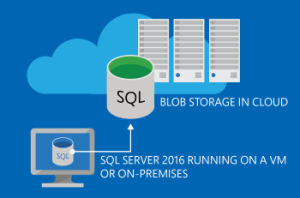
Applies to: SQL Server (all supported versions) Welcome to the Working with SQL Server 2016 in Microsoft Azure Blob Storage service tutorial. This tutorial helps you understand how to use the Microsoft Azure Blob storage service for SQL Server data files and SQL Server backups…

Tutorial: Configure replication between two fully connected servers (transactional)

Applies to: SQL Server (all supported versions) Transactional replication is a good solution to the problem of moving data between continuously connected servers. By using the Replication Wizard, you can easily configure and administer a replication topology. This tutorial shows you how to configure a transactional replication topology for continuously connected servers. For more information about how transactional replication works, see the  overview of transactional replication. What you will learn This tutorial teaches you to publish data from one database to another by using transactional replication. In this tutorial, you will learn how to: Prerequisites This tutorial is for users who are familiar with basic database operations, but who have limited experience with replication. Before you start this tutorial, you must complete Tutorial: Prepare SQL Server for replication. To complete this tutorial, you need SQL Server, SQL Server Management Studio (SSMS), and an AdventureWorks database:  Note Estimated time to complete this tutorial:
Creating a Memory-Optimized Table and a Natively Compiled Stored Procedure

Creating a Memory-Optimized Table and a Natively Compiled Stored Procedure Applies to: SQL Server (all supported versions) This topic contains a sample that introduces you to the syntax for In-Memory OLTP. To enable an application to use In-Memory OLTP, you need to complete the following tasks: Background on In-Memory objects For information on how to use SQL Server Management Studio to create memory-optimized tables, see SQL Server Management Studio Support for In-Memory OLTP. Natively compiled stored procedures Natively compiled stored procedures are Transact-SQL stored procedures compiled to native code, and that access memory-optimized tables. Natively compiled stored procedures allow for efficient execution of the queries and business logic in the stored procedure. For more details about the native compilation process, see Native Compilation of Tables and Stored Procedures. For more information about migrating disk-based stored procedures to natively compiled stored procedures, see Migration Issues for Natively Compiled Stored Procedures.  Note One difference between interpreted

Database Engine Tuning Advisor

Database Engine Tuning Advisor Applies to: SQL Server (all supported versions) Welcome to the Database Engine Tuning Advisor tutorial. Database Engine Tuning Advisor examines how queries are processed in the databases you specify, and then recommends how you can improve query processing performance by modifying database structures such as indexes, indexed views, and partitioning. Database Engine Tuning Advisor provides two user interfaces: a graphical user interface (GUI) and the dta command prompt utility. The GUI makes it easy to quickly view the results of tuning sessions, and the dta utility makes it easy to incorporate Database Engine Tuning Advisor functionality into scripts for automated tuning. In addition, Database Engine Tuning Advisor can take XML input, which offers more control over the tuning process. What You Will Learn This tutorial will teach you how to navigate the Database Engine Tuning Advisor GUI, and how to perform some basic tasks with both the GUI and the dta utility. It

Tutorial: Signing Stored Procedures with a Certificate

Applies to: SQL Server (all supported versions) Azure SQL Database Azure SQL Managed Instance This tutorial illustrates signing stored procedures using a certificate generated by SQL Server.  Note To run the code in this tutorial you must have both Mixed Mode security configured and the AdventureWorks2017 database installed. Signing stored procedures using a certificate is useful when you want to require permissions on the stored procedure but you do not want to explicitly grant a user those rights. Although you can accomplish this task in other ways, such as using the EXECUTE AS statement, using a certificate allows you to use a trace to find the original caller of the stored procedure. This provides a high level of auditing, especially during security or Data Definition Language (DDL) operations. You can create a certificate in the master database to allow server-level permissions, or you can create a certificate in any user databases to allow

Use Azure Blob storage service with SQL Server 2016

Applies to: SQL Server (all supported versions) Welcome to the Working with SQL Server 2016 in Microsoft Azure Blob Storage service tutorial. This tutorial helps you understand how to use the Microsoft Azure Blob storage service for SQL Server data files and SQL Server backups…

Scroll to Top