Home » SQL Server

Thread and Task Architecture Guide

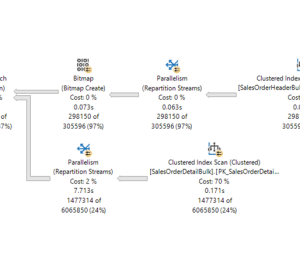
Operating system task scheduling Threads are the smallest units of processing that can be executed by an operating system, and allow the application logic to be separated into several concurrent execution paths. Threads are useful when complex applications have many tasks that can be performed at the same time. When an operating system executes an instance of an application, it creates a unit called a process to manage the instance. The process has a thread of execution. This is the series of programming instructions performed by the application code. For example, if a simple application has a single set of instructions that can be performed serially, that set of instructions is handled as a single task, and there is just one execution path (or thread) through the application. More complex applications may have several tasks that can be performed concurrently instead of serially. An application can do this by starting separate processes for each
Transaction Locking and Row Versioning Guide

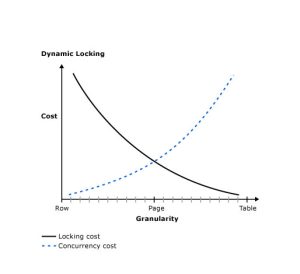
Transaction Locking and Row Versioning Guide Applies to:  SQL Server (all supported versions)  Azure SQL Database  Azure SQL Managed Instance  Azure Synapse Analytics  Parallel Data Warehouse In any database, mismanagement of transactions often leads to contention and performance problems in systems that have many users. As the number of users that access the data increases, it becomes important to have applications that use transactions efficiently. This guide describes the locking and row versioning mechanisms the SQL Server Database Engine uses to ensure the physical integrity of each transaction and provides information on how applications can control transactions efficiently. Applies to: SQL Server (SQL Server 2005 (9.x) through SQL Server 2019 (15.x), unless noted otherwise) and Azure SQL Database. Transaction Basics A transaction is a sequence of operations performed as a single logical unit of work. A logical unit of work must exhibit four properties, called the atomicity, consistency, isolation, and

Diagnose and resolve latch contention on SQL Server

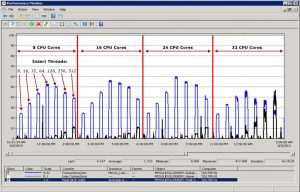
This guide describes how to identify and resolve latch contention issues observed when running SQL Server applications on high concurrency systems with certain workloads. As the number of CPU cores on servers continues to increase, the associated increase in concurrency can introduce contention points on data structures that must be accessed in a serial fashion within the database engine. This is especially true for high throughput/high concurrency transaction processing (OLTP) workloads. There are a number of tools, techniques, and ways to approach these challenges as well as practices that can be followed in designing applications which may help to avoid them altogether. This article will discuss a particular type of contention on data structures that use spinlocks to serialize access to these data structures. Link to PDF : Diagnose and resolve latch contention on SQL Server

Add an Azure SQL Database to an autofailover group

Add an Azure SQL Database to an autofailover group APPLIES TO:  Azure SQL Database A failover group  is a declarative abstraction layer that allows you to group multiple geo-replicated databases. Learn to configure a failover group for an Azure SQL Database and test failover using either the Azure portal, PowerShell, or the Azure CLI. In this tutorial, you’ll learn how to: Prerequisites To complete this tutorial, make sure you have: 1 – Create a database In this step, you create a logical SQL server and a single database that uses AdventureWorksLT sample data. You can create the database by using Azure portal menus and screens, or by using an Azure CLI or PowerShell script in the Azure Cloud Shell. All the methods include setting up a server-level firewall rule to allow the public IP address of the computer you’re using to access the server. For more information about creating server-level firewall rules, see Create a server-level firewall.

Tutorial: Configure replication between a server and mobile clients (merge)

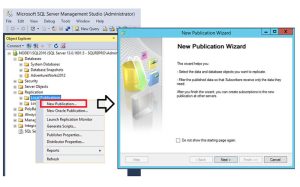
Tutorial: Configure replication between a server and mobile clients (merge) Applies to: SQL Server (all supported versions) Merge replication is a good solution to the problem of moving data between a central server and mobile clients that are only occasionally connected. By using the replication wizards, you can easily configure and administer a merge replication topology. This tutorial shows you how to configure a replication topology for mobile clients. For more information about merge replication, see the overview of merge replication. What you will learn This tutorial teaches you to use merge replication to publish data from a central database to one or more mobile users so that each user gets a uniquely filtered subset of the data. In this tutorial, you will learn how to:   Link to PDF : Diagnose and resolve latch contention on SQL Server 

Thread and Task Architecture Guide

Operating system task scheduling Threads are the smallest units of processing that can be executed by an operating system, and allow the application logic to be separated into several concurrent execution paths. Threads are useful when complex applications have many tasks that can be performed at the same time. When an operating system executes an instance of an application, it creates a unit called a process to manage the instance. The process has a thread of execution. This is the series of programming instructions performed by the application code. For example, if a simple application has a single set of instructions that can be performed serially, that set of instructions is handled as a single task, and there is just one execution path (or thread) through the application. More complex applications may have several tasks that can be performed concurrently instead of serially. An application can do this by starting separate processes for each
Transaction Locking and Row Versioning Guide

Transaction Locking and Row Versioning Guide Applies to:  SQL Server (all supported versions)  Azure SQL Database  Azure SQL Managed Instance  Azure Synapse Analytics  Parallel Data Warehouse In any database, mismanagement of transactions often leads to contention and performance problems in systems that have many users. As the number of users that access the data increases, it becomes important to have applications that use transactions efficiently. This guide describes the locking and row versioning mechanisms the SQL Server Database Engine uses to ensure the physical integrity of each transaction and provides information on how applications can control transactions efficiently. Applies to: SQL Server (SQL Server 2005 (9.x) through SQL Server 2019 (15.x), unless noted otherwise) and Azure SQL Database. Transaction Basics A transaction is a sequence of operations performed as a single logical unit of work. A logical unit of work must exhibit four properties, called the atomicity, consistency, isolation, and

Diagnose and resolve latch contention on SQL Server

This guide describes how to identify and resolve latch contention issues observed when running SQL Server applications on high concurrency systems with certain workloads. As the number of CPU cores on servers continues to increase, the associated increase in concurrency can introduce contention points on data structures that must be accessed in a serial fashion within the database engine. This is especially true for high throughput/high concurrency transaction processing (OLTP) workloads. There are a number of tools, techniques, and ways to approach these challenges as well as practices that can be followed in designing applications which may help to avoid them altogether. This article will discuss a particular type of contention on data structures that use spinlocks to serialize access to these data structures. Link to PDF : Diagnose and resolve latch contention on SQL Server

Add an Azure SQL Database to an autofailover group

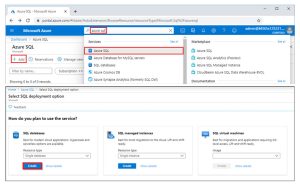
Add an Azure SQL Database to an autofailover group APPLIES TO:  Azure SQL Database A failover group  is a declarative abstraction layer that allows you to group multiple geo-replicated databases. Learn to configure a failover group for an Azure SQL Database and test failover using either the Azure portal, PowerShell, or the Azure CLI. In this tutorial, you’ll learn how to: Prerequisites To complete this tutorial, make sure you have: 1 – Create a database In this step, you create a logical SQL server and a single database that uses AdventureWorksLT sample data. You can create the database by using Azure portal menus and screens, or by using an Azure CLI or PowerShell script in the Azure Cloud Shell. All the methods include setting up a server-level firewall rule to allow the public IP address of the computer you’re using to access the server. For more information about creating server-level firewall rules, see Create a server-level firewall.

Tutorial: Configure replication between a server and mobile clients (merge)

Tutorial: Configure replication between a server and mobile clients (merge) Applies to: SQL Server (all supported versions) Merge replication is a good solution to the problem of moving data between a central server and mobile clients that are only occasionally connected. By using the replication wizards, you can easily configure and administer a merge replication topology. This tutorial shows you how to configure a replication topology for mobile clients. For more information about merge replication, see the overview of merge replication. What you will learn This tutorial teaches you to use merge replication to publish data from a central database to one or more mobile users so that each user gets a uniquely filtered subset of the data. In this tutorial, you will learn how to:   Link to PDF : Diagnose and resolve latch contention on SQL Server 

Scroll to Top